

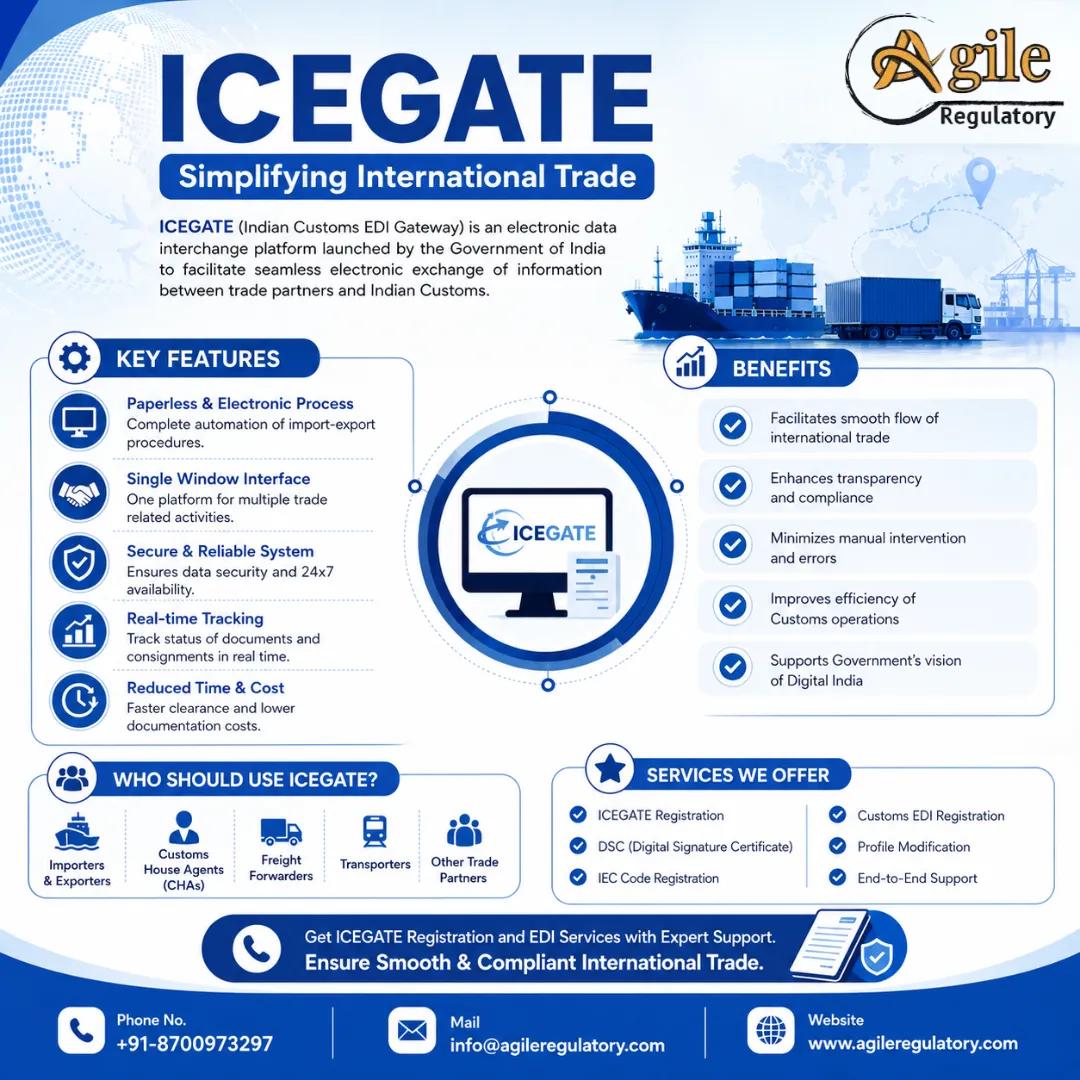
ICEGATE registration enables importers, exporters and other eligible trade participants to interact electronically with Indian Customs. ICEGATE is the Indian Customs Electronic Data Interchange Gateway, which supports digital customs processes such as document filing, customs communication, payment-related services and trade-status tracking.
For import-export businesses, ICEGATE registration is an important operational step after obtaining an Importer Exporter Code from DGFT. Exporters may also need to complete AD Code registration on ICEGATE to use export-promotion banking facilities and process eligible export-related transactions.
What Is ICEGATE?
ICEGATE stands for Indian Customs Electronic Data Interchange Gateway.
It is the electronic interface between Indian Customs and trade stakeholders. It functions as a central platform for customs-related electronic interaction by importers, exporters, Customs Brokers, shipping lines, airlines, cargo service providers, ports and other authorised users.
ICEGATE describes itself as a centralised hub for electronic interaction between Indian Customs and the trading community.
What Is ICEGATE Registration?
ICEGATE registration is the process of creating an authorised user account on the ICEGATE portal.
An importer or exporter can use the account to access relevant electronic customs services. The registration is connected with the importer’s or exporter’s IEC, GSTIN, PAN, registered mobile number and registered email address.
The ICEGATE registration process for an importer or exporter includes verification of GSTIN, user details, mobile number, email address and IEC details.
ICEGATE Registration for Importers and Exporters
ICEGATE registration for importers and exporters is relevant for businesses engaged in cross-border movement of commercial goods.
It may support activities such as:
Customs-related electronic communication.
Shipping-bill filing.
Bill-of-entry filing.
Import-document tracking.
Export-document tracking.
Customs duty payment.
Export incentive-related banking processes.
AD Code bank-account registration.
Customs status enquiry.
Electronic submission of specified trade documents.
Management of authorised users.
An importer or exporter should maintain accurate IEC, GSTIN, PAN, bank and contact information before beginning the registration process.
Who Needs ICEGATE Registration?
ICEGATE registration may be relevant for:
Importers.
Exporters.
Merchant exporters.
Manufacturer-exporters.
Customs Brokers.
Freight forwarders.
Shipping lines.
Airlines.
Custodians.
Port operators.
Cargo-service providers.
Courier operators.
Logistics companies.
Warehouse operators.
Trade professionals authorised to file customs documents.
The correct role should be selected according to the applicant’s actual business activity.
Prerequisites for ICEGATE Registration
Before applying for ICEGATE registration for import export, an importer or exporter should generally keep the following ready:
Active IEC.
Valid GSTIN.
PAN associated with the business entity.
Registered business name.
Registered mobile number.
Registered email address.
Address details.
Authorised-person details.
Relevant bank details.
Digital-signature requirements, where applicable.
Customs-related authorisation, where applicable.
ICEGATE’s registration guidance states that importers and exporters must enter and verify GSTIN details and a valid IEC during registration.
The registered email address and mobile number should align with relevant DGFT and GST records for a smoother verification process.
ICEGATE Registration Process
The ICEGATE registration online process generally involves the following steps.
Step 1: Access the ICEGATE Registration Service
Open the ICEGATE portal and select the registration option.
Step 2: Select the User Role
Choose the appropriate role, such as:
Importer.
Exporter.
Importer-exporter.
Customs Broker.
Shipping line.
Airline.
Other authorised trade participant.
Step 3: Verify GSTIN
Enter and verify the GSTIN connected with the business entity.
Step 4: Verify IEC
For importer-exporter registration, enter the valid IEC issued by DGFT.
Step 5: Enter User Details
Provide accurate details of the authorised person, including:
Name.
PAN.
Designation.
Mobile number.
Email address.
Business address.
Entity details.
Step 6: Verify Mobile Number and Email
Complete the required OTP verification.
Step 7: Submit the Role Registration Form
Review the applicant details, complete the declaration and submit the online registration form.
Step 8: Receive Login Credentials
After successful processing, use the approved credentials to access the ICEGATE dashboard.
ICEGATE’s user manual outlines five core stages: role selection, GSTIN verification, user verification, mobile and email verification, and online form submission.
ICEGATE Registration Documents Required
The exact requirements depend on the selected role. For an importer-exporter, the following information and records are commonly relevant:
Requirement | Purpose |
|---|---|
IEC | Identifies the importer or exporter for customs and trade purposes |
GSTIN | Supports entity and tax-profile verification |
PAN | Supports identity and entity validation |
Business-address details | Confirms the registered business location |
Mobile number | OTP and communication verification |
Email address | Registration and customs communication |
Authorised-person details | Identifies the responsible portal user |
Bank details | Supports eligible export-promotion and remittance-related functions |
Bank authorisation letter | May support bank-account or AD Code registration |
Digital Signature Certificate | May be required for specified online customs functions |
The information entered on ICEGATE should match DGFT, GST and banking records.
What Is AD Code Registration?
AD Code means Authorised Dealer Code.
It is a seven-digit code allotted by the Reserve Bank of India to an authorised bank branch that handles foreign-exchange transactions.
For exporters, AD Code registration links the authorised bank branch and exporter bank account to the relevant customs location through ICEGATE.
This linkage is important for export-related banking activities, including eligible export incentives, duty drawback and foreign-remittance processing.
AD Code Registration on ICEGATE
AD Code registration on ICEGATE is completed through the bank-account-management functionality available to eligible ICEGATE users.
The exporter should ensure that:
The IEC is active.
ICEGATE registration is complete.
The bank account belongs to the IEC holder.
The bank branch is an authorised dealer branch.
The AD Code is correct.
The bank-authorisation letter contains the required information.
The selected customs location is relevant to the export activity.
ICEGATE confirms that a user can complete online AD Code registration through the user profile.
Is AD Code Registration Needed for Imports?
AD Code registration is particularly associated with export procedures and export-related banking benefits.
For imports, the importer generally declares a valid AD Code when filing the Bill of Entry. ICEGATE guidance states that prior AD Code registration is not required for imports where a valid AD Code is declared at the time of Bill of Entry filing.[
Importers should still confirm the current customs and bank requirements for each import transaction.
ICEGATE Registration and IEC Registration Difference
ICEGATE registration and IEC registration are different compliance steps.
Point | IEC Registration | ICEGATE Registration |
|---|---|---|
Main purpose | Obtains the Importer Exporter Code | Provides electronic access to Indian Customs services |
Issuing authority | Directorate General of Foreign Trade | Indian Customs / CBIC |
Main identifier | IEC linked to PAN | ICEGATE user account linked to GSTIN and IEC |
Key use | Commercial import-export identification | Customs-related electronic interaction |
Basic prerequisite | PAN, entity bank account and address | IEC, GSTIN, user details and verified contact information |
Customs filing role | Supports trade identity | Supports access to applicable electronic customs processes |
Bank and AD Code function | IEC is used for exporter identification | Portal supports AD Code and bank-account-management actions |
An importer or exporter may require both registrations for smooth trade operations.
ICEGATE Parent User and Child User
ICEGATE allows an IEC holder to create user access according to internal business requirements.
A parent user is generally the IEC holder or an authorised person representing the IEC holder. The parent user may create child users for employees where required.
ICEGATE states that each IEC holder can have a parent user and child users for employees.
Businesses should carefully control child-user access and remove permissions when an employee leaves the organisation or changes roles.
How Agile Regulatory Can Help
Agile Regulatory can assist with:
ICEGATE registration.
ICEGATE registration for importers and exporters.
IEC and ICEGATE data review.
ICEGATE role selection.
ICEGATE user registration.
ICEGATE parent-user setup.
Child-user setup.
AD Code registration on ICEGATE.
Bank-account-management support.
Bank authorisation letter review.
AD Code document preparation.
Customs-location selection.
ICEGATE application-status tracking.
ICEGATE error-resolution support.
Import-export customs compliance planning.
Conclusion
ICEGATE registration is an important electronic customs-registration step for importers and exporters conducting international trade in India. It connects eligible users to Indian Customs’ electronic services and supports customs communication, document-related processes and bank-account-management functions.
For exporters, AD Code registration on ICEGATE is an important part of export banking and customs readiness. Businesses should ensure that their IEC, GSTIN, PAN, bank details, AD Code, authorised-person records and portal information are accurate before filing.
Frequently Asked Questions
1. What is ICEGATE registration?
ICEGATE registration is the online process through which importers, exporters and other eligible trade users create an account to access Indian Customs electronic services.
2. Is IEC required for ICEGATE registration?
Yes. Importers and exporters are required to enter and verify a valid IEC during the ICEGATE registration process.
3. What is AD Code registration on ICEGATE?
AD Code registration on ICEGATE is the process through which an exporter registers an authorised-dealer bank branch and eligible bank account for export-related customs and banking processes.
4. Can AD Code registration be completed online?
Yes. ICEGATE allows users to access online AD Code registration through the user profile and Bank Account Management function.
5. Is prior AD Code registration required for imports?
ICEGATE guidance states that prior AD Code registration is not needed for imports if a valid AD Code is declared while filing the Bill of Entry.[old.icegate.gov]